

Survey best practices
Learn the principles behind surveys that get answered and give usable feedback, from the goal and the questions to targeting, timing and follow-up.
A good survey feels like a short conversation, not a form. Most surveys that fail do so the same way: too long, shown to the wrong people at the wrong time, with vague questions that get vague answers. These principles help you avoid that.
Start from a goal
Section titled “Start from a goal”Before writing a question, name the decision the answers will feed: measure satisfaction after a launch, find what blocks onboarding, spot a missing feature, follow loyalty over time. A survey without a goal becomes a list of questions nobody reads.
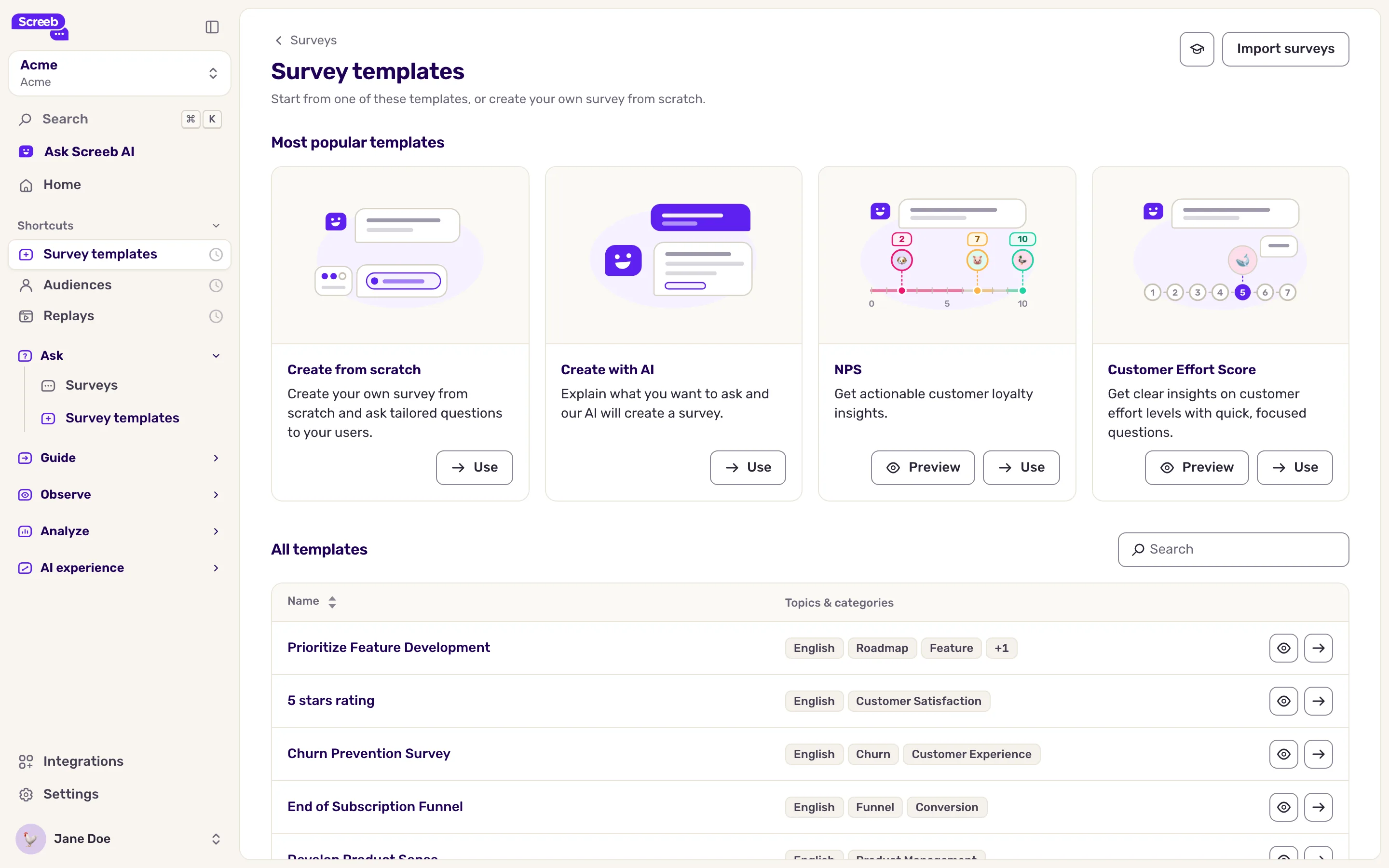
Start from a proven structure rather than a blank page. Survey templates shows the Most popular templates and All templates, and Create with AI drafts the questions from your goal. See Create a survey from a template or with AI.
Keep it short and human
Section titled “Keep it short and human”Users are busy. Aim for five questions or fewer, and write them the way you would say them out loud, in the voice of your brand. A survey that respects their time makes them more likely to answer the next one.
Show who is asking: under Display name, avatar and title, give the survey a real name, title and photo, see Customize the design of your surveys. To greet users by name, see Personalize questions with variables and hidden fields.
Ask the right people
Section titled “Ask the right people”A paying customer and a trial user do not need the same question, and a two-year user does not need an onboarding survey. Target on user properties, events, segments, pages and devices, see Choose who sees your survey. Start with a narrow audience, check that it works, then widen it.
If a survey does not show to someone it should, Screeb Inspector tells you which rule fails, see Debug your setup with Screeb Inspector.
Do not ask too often
Section titled “Do not ask too often”Even a well-targeted survey fails when users recently answered three others. Three settings help:
- Workspace capping limits how many surveys a user sees over a period. Per-user capping with a minimum time between displays keeps users surveyed recently out of every survey, see Limit how often surveys are displayed.
- Audience sampling: a share of the eligible users, to ask fewer people or roll a survey out step by step, see Configure your survey settings.
- Display again sets when the same user can see the survey again, for recurring measures such as a quarterly NPS.
Plan your surveys along the user lifecycle (onboarding, regular use, renewal) instead of asking everyone everything at once. Watch the response rate of each segment, and tighten the targeting when one drops.
Pick the right score, at the right moment
Section titled “Pick the right score, at the right moment”NPS, CSAT, CES and NES do not measure the same thing, and asked at the wrong time they measure fatigue instead. See Choosing between NPS, CSAT, CES and NES.
Write open questions that get usable answers
Section titled “Write open questions that get usable answers”A Free text question is only as good as the answers it brings.
- One idea per question. “What do you think of the product and the support?” mixes two topics in one answer. Split it.
- Guide without leading. “Any comments?” invites “no”. “What frustrated you most this week?” gives a direction without dictating the answer.
- Avoid hidden yes or no questions. “Did everything go well?” gets “yes”. “What could we improve?” opens a real answer.
- Anchor on the score. After a score question, ask “What is the main reason for your score?”. You can then filter the answers by score, see Filter survey responses.
- Short and concrete. Tie the question to a moment, an action or a feature.
Branch only when it pays off
Section titled “Branch only when it pays off”Branching shows each user the questions that fit their previous answer, but every path is one more thing to maintain. Branch when two users really need different questions, stay within two or three levels, and give every path a clear end. See Build conditional surveys with branching logic.
Test before you launch
Section titled “Test before you launch”Go through every path in the preview, then in test mode on your own site, see Preview and test a survey before you launch it.
Close the loop
Section titled “Close the loop”Feedback that leads nowhere is the first reason response rates drop. Send answers to the tools your team already uses, see Connect Screeb to your tools, and review the results on a regular rhythm, such as once a week, see Read your survey results.
Checklist before you launch
Section titled “Checklist before you launch”- The survey has one goal and one audience.
- It has five questions or fewer, written in a natural tone.
- The targeting is narrow, not “all users”.
- Capping, sampling or display again keep the pressure low.
- Score questions are asked at the right moment and followed by a “why”.
- Every path ends cleanly, and you tested each one.
- The design matches your brand, and the text is personalized.
- You know who reads the results, and when.