

Use Screeb with a Content Security Policy
What your website Content Security Policy must allow for the Screeb tag, how to install it without inline script, and how to check your policy.
If your website sends a Content Security Policy (CSP), the browser only loads what the policy allows. This page sums up what to allow so that Screeb works, and what you can check from the admin. It applies to websites and web apps; mobile SDKs are not affected.
What to allow
Section titled “What to allow”Your developers or your security team add the Screeb sources to the policy of your website, next to your own domains. In short:
https://*.screeb.appfor scripts, API calls, styles, images, fonts and media;https://s3.fr-par.scw.cloudfor file, voice, video and screenshot answers;- the origin of your scheduling tool in
frame-src, if you use booking questions.
Screeb never needs 'unsafe-eval'. It needs no 'unsafe-inline' either, as long as the tag is installed without the inline snippet, see below. If you serve Screeb from your own domain through a proxy, your proxy hostname replaces *.screeb.app.
The full policy, what each directive allows and what breaks without it, and the origin of each scheduling tool are in CSP, iframes and security requirements in the developer docs.
Install without inline script
Section titled “Install without inline script”The JS snippet of the install page is an inline script: under a strict CSP, it needs script-src 'unsafe-inline', a nonce or a hash. Your developers can load the tag with a plain script tag or an npm package instead, see Install without inline script.
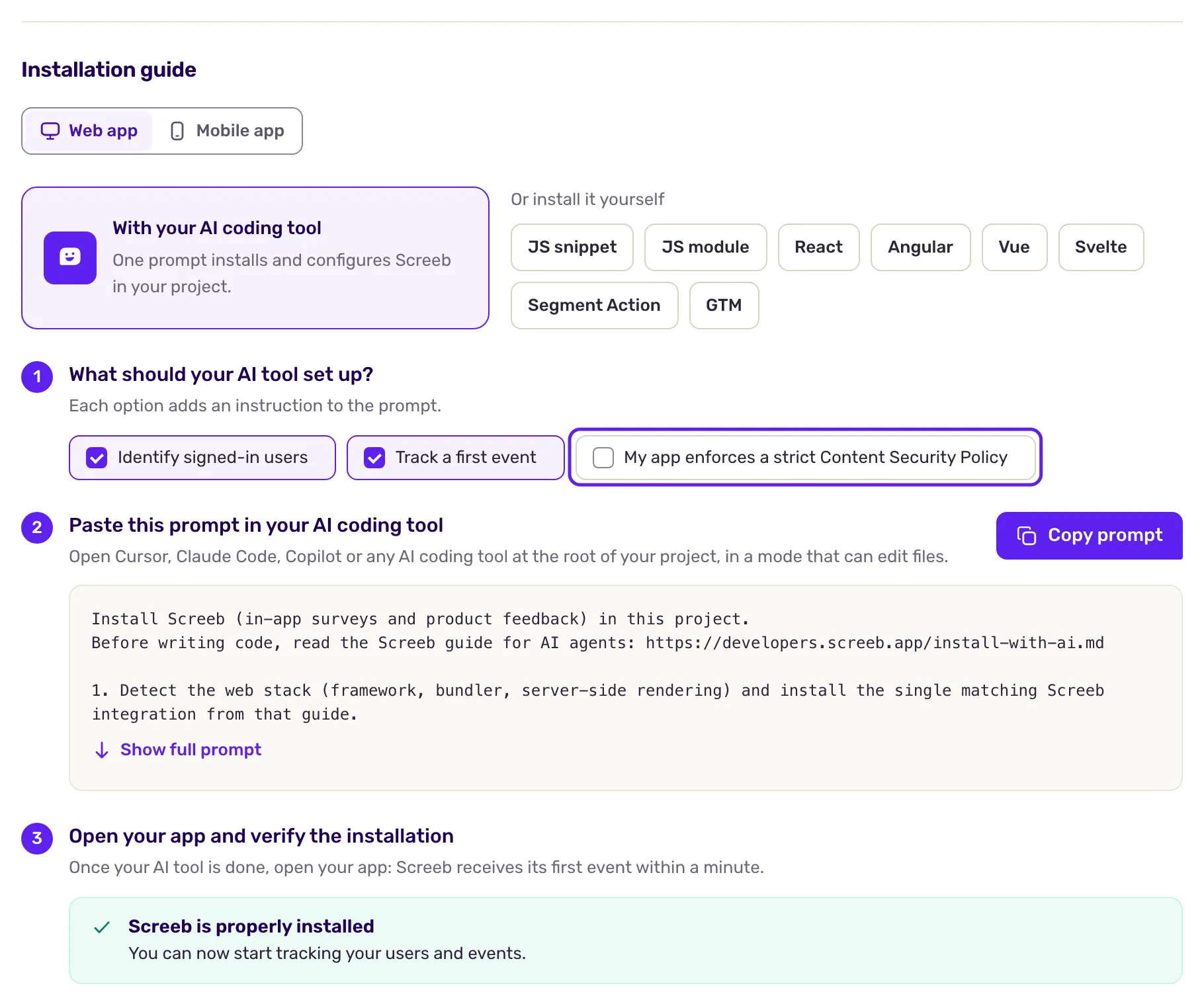
On the Web app tab of the install page, the With AI option has a My app enforces a strict Content Security Policy box: tick it and your AI coding tool installs Screeb without inline script.
Check your policy
Section titled “Check your policy”Open Screeb Inspector on your site. In its Overview tab, the “Installation & Health” checklist tests the API, the report endpoint, the widget stylesheet, fonts and media, and names the directive to fix for each failure. Images, uploads and booking frames are not tested there: check the browser console, where CSP violations caused by Screeb are logged.
In the console, $screeb('debug') only tells you whether the API is blocked.
An ad blocker can block screeb.app whatever your policy: the symptom looks like a missing script-src. Test in a browser without extensions.