

Connect Contentsquare as a source or destination
Bring Contentsquare page views into Screeb, link responses to Contentsquare replays, and send survey results to Contentsquare sessions.
Contentsquare connects to Screeb in two directions. Contentsquare source imports the page views of your Contentsquare project as Screeb users, properties and events, and adds a Contentsquare replay link to survey responses. Contentsquare destination adds survey results to the matching Contentsquare sessions, so you can filter sessions on them in Contentsquare.
Before you start
Section titled “Before you start”- Each direction is part of your plan. Otherwise, its card in the catalog shows Upgrade to install.
- You are an admin of the Screeb workspace.
- You can create project API credentials in Contentsquare. The source uses the Data Export API, the destination the Enrichment API: both must be available on your Contentsquare contract.
- For the replay link and for the destination, the Contentsquare tag runs on the same pages as the Screeb tag.
Create Contentsquare credentials
Section titled “Create Contentsquare credentials”Contentsquare has account-level and project-level credentials. Screeb needs project credentials, one set per integration or the same set for both.
- In Contentsquare, open the project you want to connect.
- Open the Console from your profile menu, then the API credentials tab.
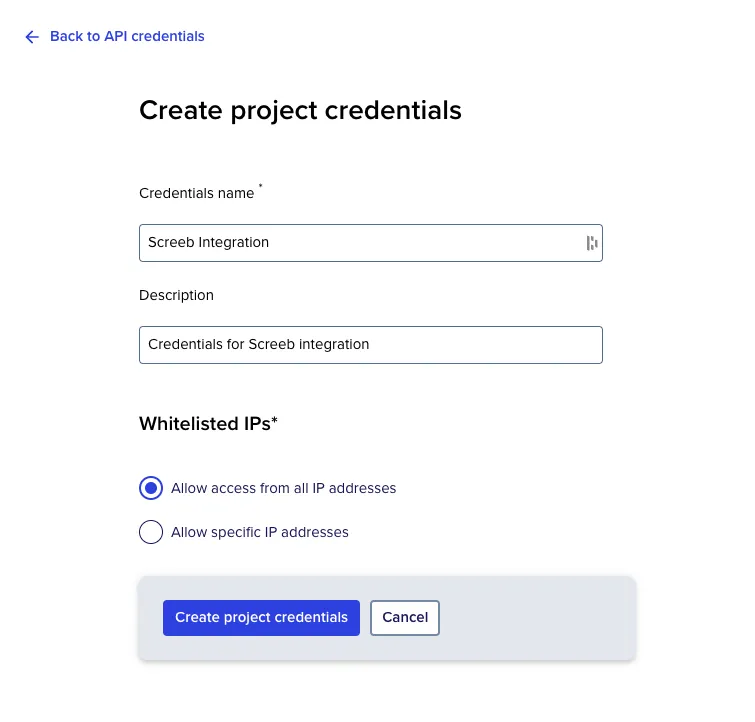
- Create project credentials, then copy the client ID and the client secret.
Connect the source
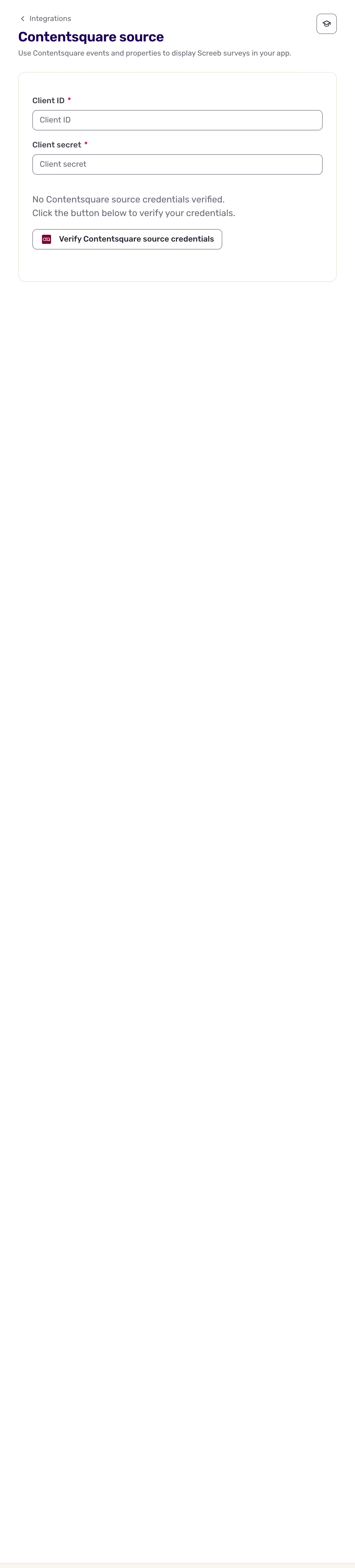
Section titled “Connect the source”- Open Integrations, find Contentsquare source and click Install. The settings page opens.
- Paste the credentials in Client ID and Client secret.
- Click the button to verify the Contentsquare Source credentials. Screeb shows Credentials verified and saves the connection: there is no Save button.
Connect the destination
Section titled “Connect the destination”- In Contentsquare, install the Screeb enrichment integration from the integration catalog of your project, and copy its integration ID.
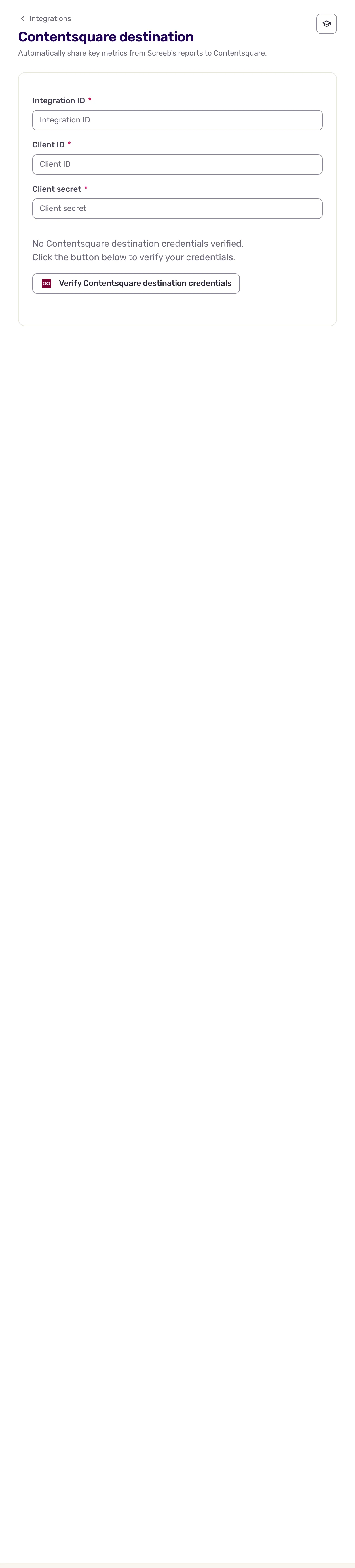
- In Screeb, open Integrations, find Contentsquare destination and click Install. The settings page opens.
- Fill in Integration ID, Client ID and Client secret.
- Click the button to verify the Contentsquare Destination credentials. Screeb shows Credentials verified.
Data exchanged
Section titled “Data exchanged”Source, from Contentsquare to Screeb. Every 5 minutes, Screeb asks the Data Export API for the page views of a 5-minute window. Contentsquare needs time to make page views exportable, so they reach Screeb about 4 hours after they happen. For each page view, Screeb:
- finds or creates the user, from the Contentsquare user ID;
- saves the page view details as user properties: browser, device, country, city, language, page, session, and more;
- records the page events of the view as Screeb events, with Contentsquare as their source.
New users count in your plan’s user quota, like users from the SDK.
Replay link. When the source is connected and the Contentsquare tag runs on the page, each response keeps a link to its Contentsquare session. In All responses, expand a response and click Watch Contentsquare session replay to open the replay in Contentsquare.
Destination, from Screeb to Contentsquare. Each time a user answers a survey question in a session where the Contentsquare tag runs, Screeb enriches that Contentsquare session with:
- the respondent: the user’s name, or the Screeb user ID;
- the survey, as its title followed by the start of its ID, marked as completed (and closed) once the last question is answered. Nothing is sent when the survey is only displayed;
- the score of NPS, CES, CSAT and rating questions.
Responses without a Contentsquare session, and in-app messages, are not sent. In Contentsquare, filter sessions on the Screeb enrichment integration to find these values.
Troubleshooting
Section titled “Troubleshooting”Could not verify the credentials. Check them and try again. Check that the credentials are project credentials of the right project, and that the client secret was copied whole. For the destination, check the integration ID too.
No replay link on responses. The link needs the source connected and the Contentsquare tag on the page where the survey showed. Responses collected before the source was connected have no link.
Disconnect
Section titled “Disconnect”On the settings page of either direction:
- Revoke access stops the exchange until you verify credentials again. The settings are kept.
- More at the top right, then Delete, then Delete integration, deletes the integration and its configuration. Data already imported or sent stays where it is.