

Manage privacy and data retention settings
Choose how long a workspace keeps user data, session replays and responses, and which personal data it collects.
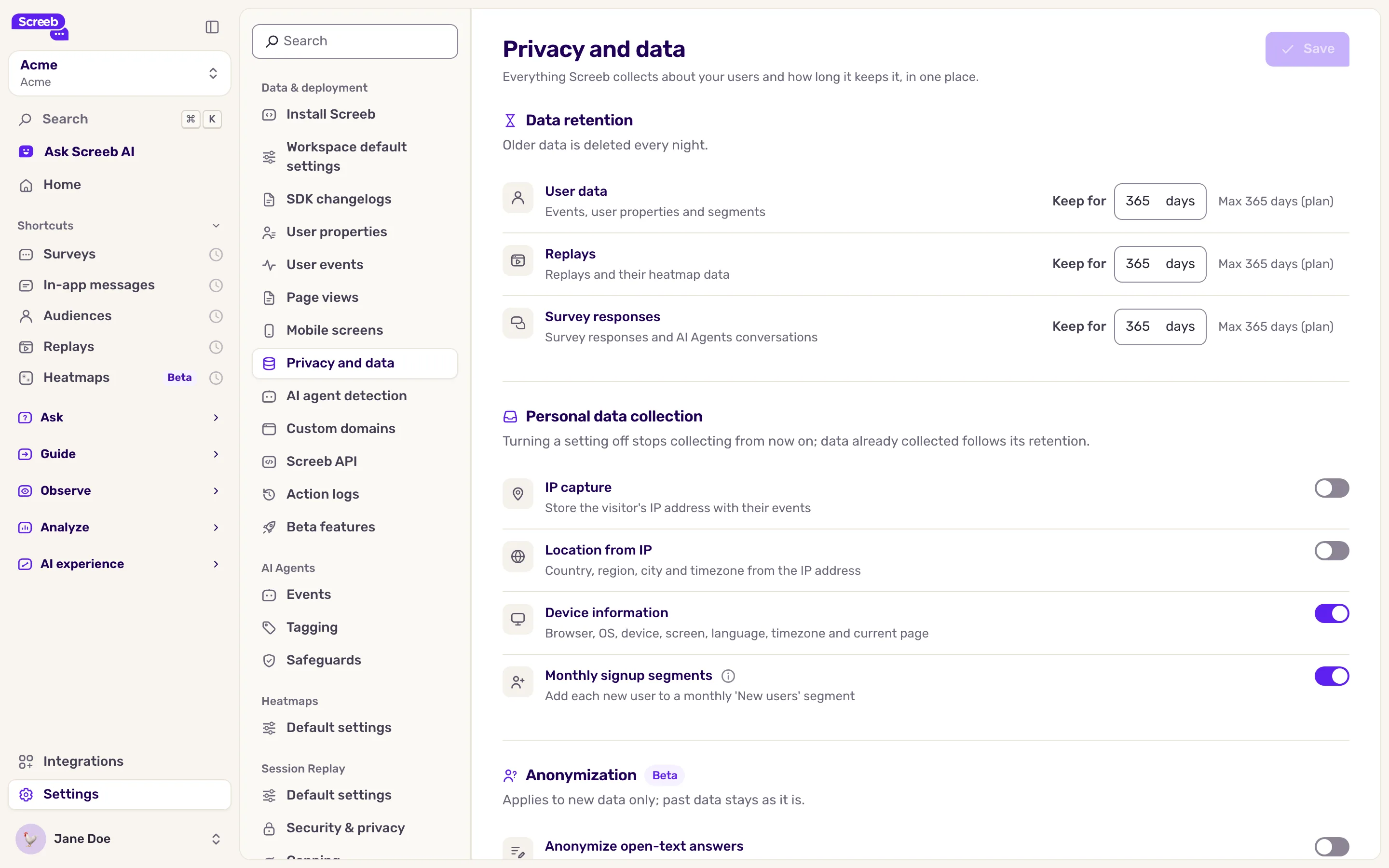
The Privacy and data page gathers, for one workspace, how long Screeb keeps your data and which personal data it collects about your users.
Before you start
Section titled “Before you start”- You need the Admin organization role. The page does not show for other roles.
- The settings apply to the current workspace only. Repeat them in each workspace.
Open the page
Section titled “Open the page”- Click Settings in the sidebar of your workspace.
- Under Data & deployment, click Privacy and data.
Shorten data retention
Section titled “Shorten data retention”Under Data retention, each row shows how long Screeb keeps one kind of data:
| Row | What it covers |
|---|---|
| User data | Events, user properties and segments |
| Replays | Recordings and their heatmap data |
| Survey responses | Survey responses |
- In the row to change, the Keep for field shows the days in force. Type a new value.
- Stay between 30 days and the max shown next to the field, such as “Max 365 days (plan)”. You can keep data for less time than your plan, never longer: a value above the max is brought back to the max when you leave the field.
- Click Save at the top of the page.
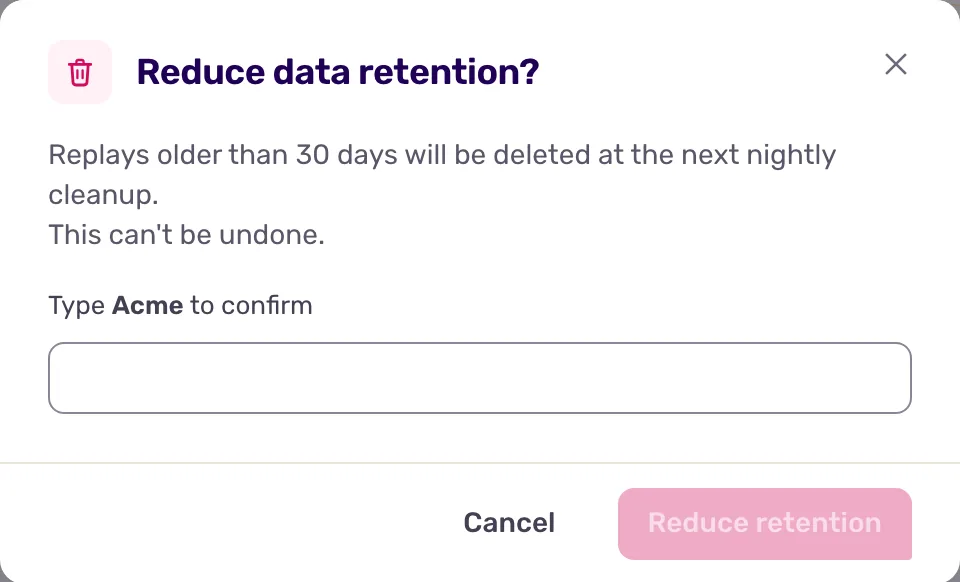
- If you lowered a retention, the Reduce data retention? window lists what will be deleted. Type the name of the workspace and click Reduce retention.
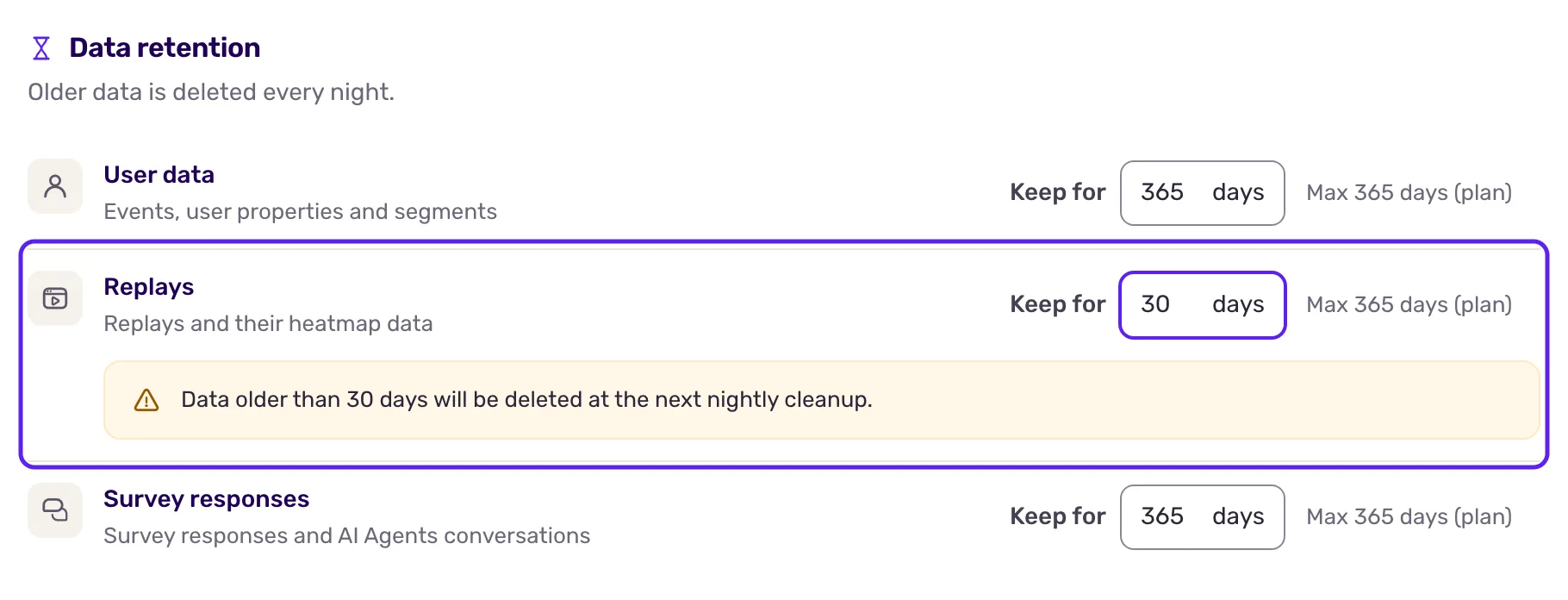
Data older than the new retention is deleted at the next nightly cleanup, for good. Raising the retention again later does not bring it back.
To go back to the retention of your plan, type the plan value (the max) and save. The retention then follows your plan if it changes. Nothing is deleted when you do this.
Choose what Screeb collects
Section titled “Choose what Screeb collects”Under Personal data collection, switch off what you do not need:
- IP capture: stores the IP address of your users with their events. When it is off, Screeb drops the address before anything is stored.
- Location from IP: the country, region, city and timezone found from the IP address. It works even when IP capture is off: Screeb then finds the location without storing the address.
- Device information: the browser, system, device, screen, language, timezone and current page.
- Monthly signup segments: adds each new user to a “New users” segment of the month they were first seen. When you switch it off, existing members stay in their segment.
Click Save. The change applies to data collected from now on: what is already stored follows its retention.
What you get
Section titled “What you get”Screeb deletes older data every night, following the retention of each row, and stops collecting what you switched off. The page also holds the anonymization of open-text answers, see Anonymize collected data.
Troubleshooting
Section titled “Troubleshooting”The page is missing from the settings. Your role is not Admin of the organization. Ask an admin.
Save stays disabled. A number of days is outside the allowed range: the error under the field gives it, such as “Enter 30 to 365 days”.
Country or language rules stopped matching. Targeting rules on the country usually rely on the location from IP, and rules on the language on device information. Switch them back on if you use those rules.