

Anonymize collected data
Remove emails, phone numbers, names and other personal information from open-text answers before Screeb stores them.
Your users sometimes write personal details in an open-text answer: a name, an email, a phone number. With anonymization on, Screeb replaces them with **** before storing the text.
Before you start
Section titled “Before you start”- You need the Admin organization role.
- The setting applies to the current workspace only.
Turn on anonymization
Section titled “Turn on anonymization”- Click Settings in the sidebar of your workspace.
- Under Data & deployment, click Privacy and data.
- In the Anonymization section, marked Beta, switch on Anonymize open-text answers.
- Click Save at the top of the page.
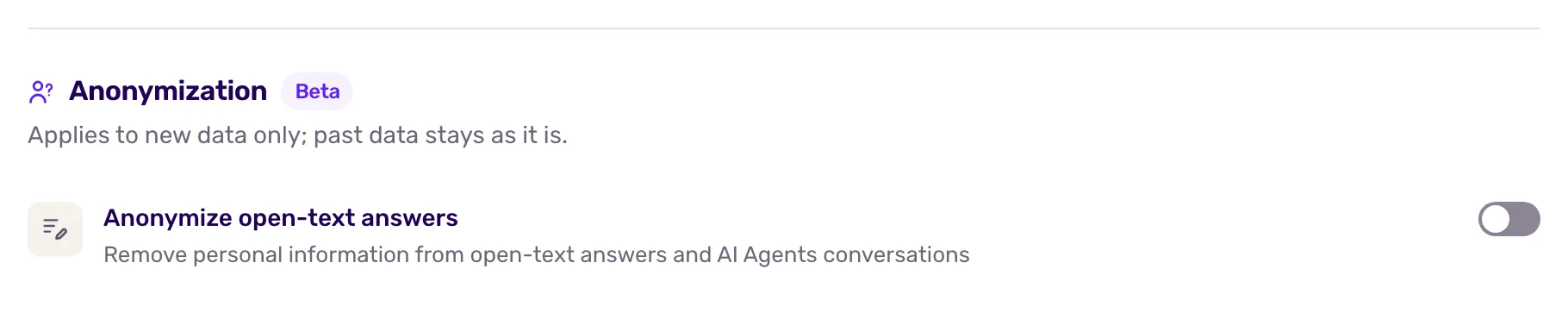
What gets anonymized
Section titled “What gets anonymized”- The text of open-text answers in your surveys, on your website and in your mobile apps.
Ratings, scores, choices and the user properties you send are not changed. Answers collected before you turned the setting on stay as they are.
How it works
Section titled “How it works”Anonymization runs in two passes:
- On the user’s device. When the user submits an answer, the survey replaces what follows a known pattern: email addresses, phone numbers, card numbers, US social security numbers and IPv4 addresses.
- On Screeb’s servers, with AI. Screeb stores a placeholder instead of the text, then an AI model looks for the personal information the first pass cannot recognize, such as names or postal addresses. The anonymized text then replaces the placeholder.
The AI pass uses the AI provider of your organization, see AI at Screeb: data, models and privacy.
What you get
Section titled “What you get”In your results, an answer shows “Answer is being anonymized” while the AI pass runs, usually for a few seconds. Then the anonymized text appears, with **** in place of personal details.
If the AI pass keeps failing after several retries, Screeb does not keep the original text: the answer shows “[ answer unavailable ]”.
Questions set to save the answer in a user property no longer do it while anonymization is on, so personal details never reach user profiles.
Troubleshooting
Section titled “Troubleshooting”Some personal details are still visible. Detection is automatic and can miss details, depending on the language and how the text is written. Do not ask for personal data in open-text questions.
An answer stays “Answer is being anonymized”. The AI pass is retrying. Check again later; if it lasts, contact us from the admin (Help and docs, then Talk to a human).