

Send feedback to Productboard
Send a survey response from Screeb to Productboard by email, with the respondent's details, as a new insight.
The Productboard integration sends a survey response to Productboard in one click, from the list of responses. Screeb emails the response, with the details of the respondent, to an inbound address of Productboard. Productboard turns the emails sent to that address into new insights.
Before you start
Section titled “Before you start”- The Productboard integration is included in your plan. Otherwise its card in the catalog shows Upgrade to install.
- To install or remove the integration, you need the admin role on the workspace. Once it is installed, every member of the workspace can send responses.
- In Productboard, find the inbound email address of your Productboard workspace. It ends with
@inbound.productboard.com.
Connect
Section titled “Connect”- In the sidebar, click Integrations, then Install on the Productboard card. The Productboard page opens.
- In Email, paste the Productboard address. Screeb only accepts an address that ends with
@inbound.productboard.com. - Click Install. The message Integration installed confirms it.
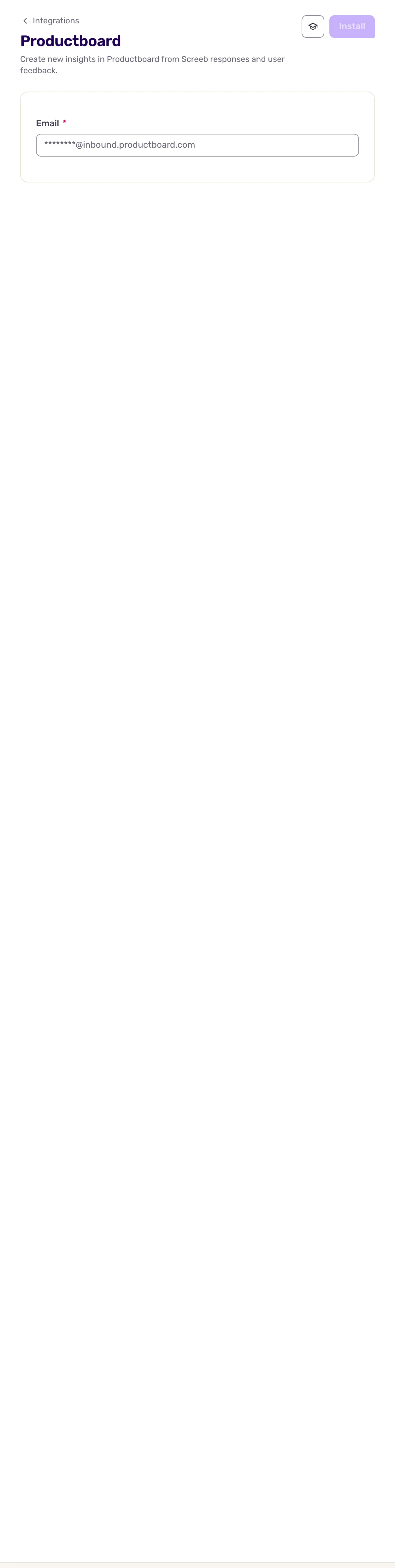
To change the address later, open the same page, edit the field and click Save.
Send a response
Section titled “Send a response”- Open the survey, click Analyze, then All responses.
- On the response to send, click More (the three dots of the row), then Send to Productboard.
- The message Feedback sent confirms that Screeb sent the email.
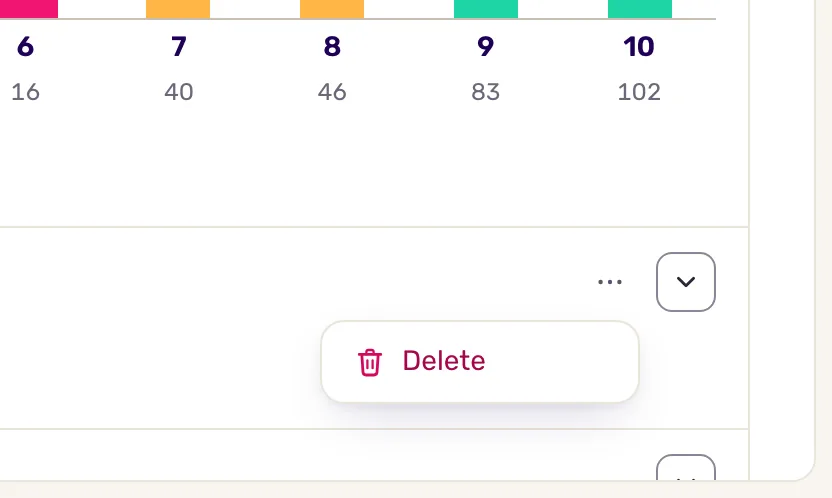
Screeb sends a response only when you click Send to Productboard, one answer at a time. New responses are not forwarded automatically.
Data exchanged
Section titled “Data exchanged”Data goes one way, from Screeb to Productboard, by email. Nothing comes back from Productboard.
Each click sends one email:
- From: Screeb,
fwd-productboard@screeb.app. - To: the address saved on the integration page.
- Subject:
Screeb to Productboard.
The email contains:
- the name of the teammate who sent it and the name of the survey;
- the question and the answer of that row;
- who answered: name (or Screeb identifier), email, identifier and segments;
- their latest NPS, CSAT and CES scores, when Screeb has them;
- the hidden fields, the response context (such as page, locale, platform or campaign) and the user properties of the response.
Troubleshooting
Section titled “Troubleshooting”Install stays disabled. Its tooltip reads “Fill in the required fields correctly to save.” The address must end with @inbound.productboard.com: copy it again from Productboard.
The menu has no Send to Productboard entry. The integration is not installed on this workspace, or it is no longer in your plan. Check the Productboard page.
Could not send feedback appears. Try again a moment later. If the error persists, contact support.
The email does not show up in Productboard. Check the address saved in Screeb against the one Productboard gives you. If Productboard only accepts emails from known senders, allow fwd-productboard@screeb.app.
Disconnect
Section titled “Disconnect”- Open the Productboard page.
- Click More at the top right, then Delete, and confirm with Delete integration. Screeb deletes the saved address and the Send to Productboard entry disappears.
The responses already sent stay in Productboard.
Go further
Section titled “Go further”- Connect Screeb to your tools, for the other integrations.
- Filter survey responses, to find the responses worth sending.
- Export survey responses, to share many responses at once.