

Connect Amplitude as a source or destination
Use your Amplitude events and user properties to target Screeb surveys, and send survey displays and answers to Amplitude.
Screeb connects to Amplitude in both directions. As a source, Amplitude forwards your users’ events and user properties to Screeb, so you can target surveys on them. As a destination, Screeb sends an event to Amplitude each time a survey is displayed or answered, so you can analyze feedback next to product usage.
Before you start
Section titled “Before you start”- Both integrations are part of your plan. If a card shows Upgrade to install, your plan does not include it.
- You are an Admin of the Screeb workspace: only Admins install and remove integrations.
- You can manage sources and destinations of your Amplitude project.
- If your organization runs on a dedicated Screeb platform, the source page shows “Contact us to connect this integration to your workspace.”: contact us and we connect it for you.
Send Amplitude data to Screeb (source)
Section titled “Send Amplitude data to Screeb (source)”- Open Integrations and, on the Amplitude source card, click Install. The integration is created and its page shows a Webhook URL and a Header.
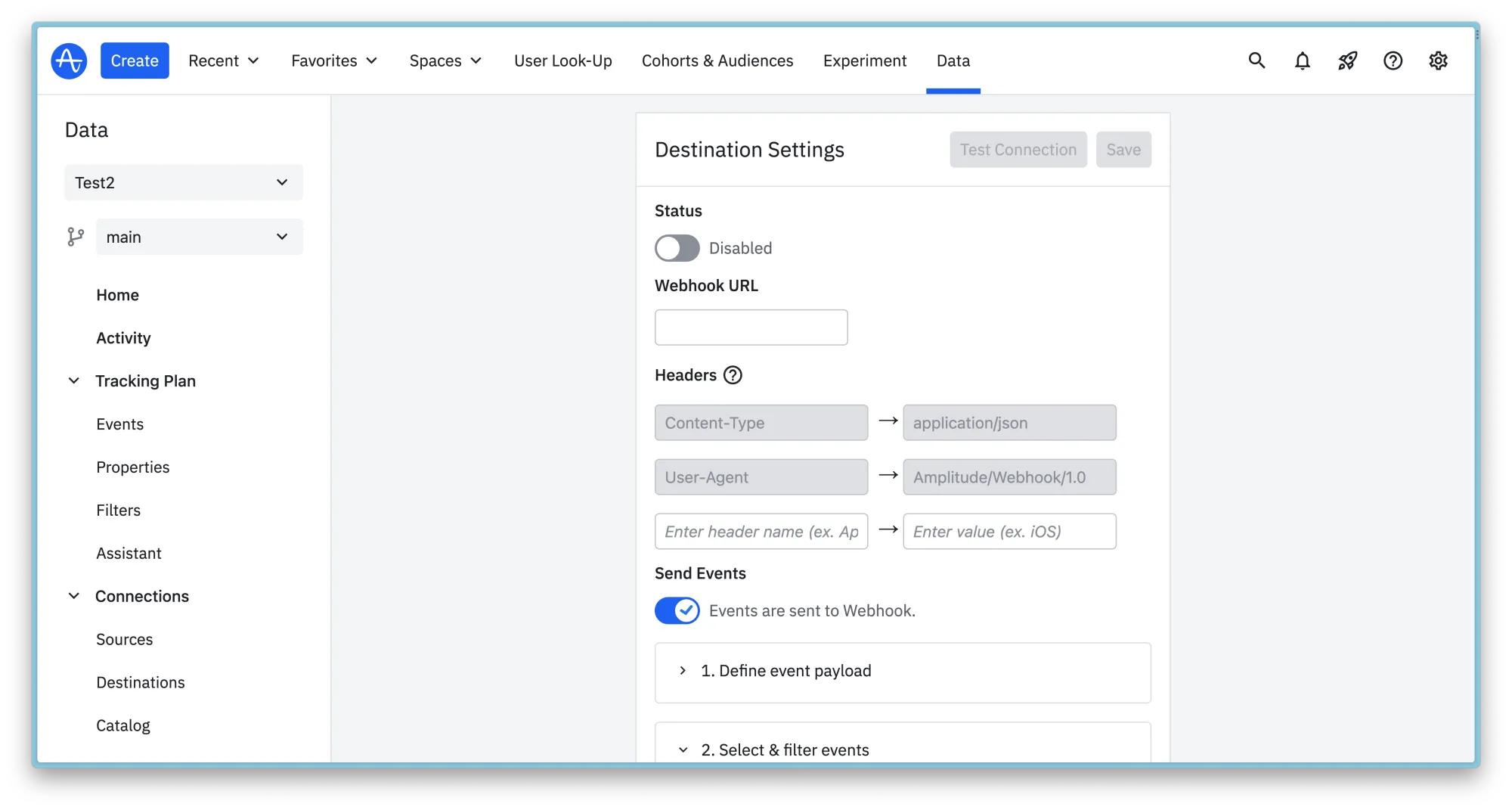
- In Amplitude, open Data, then Catalog, and add a Webhook destination from the Destinations tab.
- In its settings, paste the Screeb webhook URL, and add a header: name
Authorization, value theBearer ...text of the Screeb page. Use Copy to copy each value. - Turn on Events are sent to Webhook, keep the default Amplitude event payload, select the events you want to target surveys on, and save. The Screeb page recalls it under Send events.
- Back in Screeb, turn on Would you like to ignore events from anonymous users? if you only want events that carry a
user_id, and click Save.
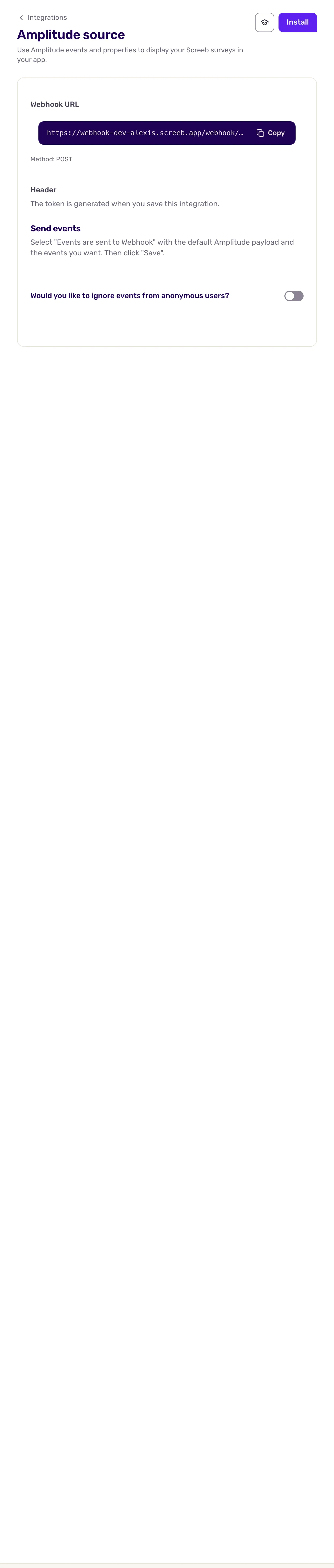
Reset next to the token creates a new one: the old token stops working at once, so update the header in Amplitude right away. When the workspace setting Ignore anonymous users is on, the anonymous switch is locked on.
Keep the same identity in Amplitude and Screeb
Section titled “Keep the same identity in Amplitude and Screeb”Screeb finds the respondent of each Amplitude event from its user_id, or from its device_id when the visitor is not logged in. To keep one profile per person, identify users with the same id in Amplitude and Screeb, and give Screeb the Amplitude device id: see User identity across tools. Amplitude SDKs reject user ids and device ids shorter than 5 characters, so use ids of 5 characters or more. Screeb sends its own events to Amplitude with a minimum id length of 3.
Send Screeb data to Amplitude (destination)
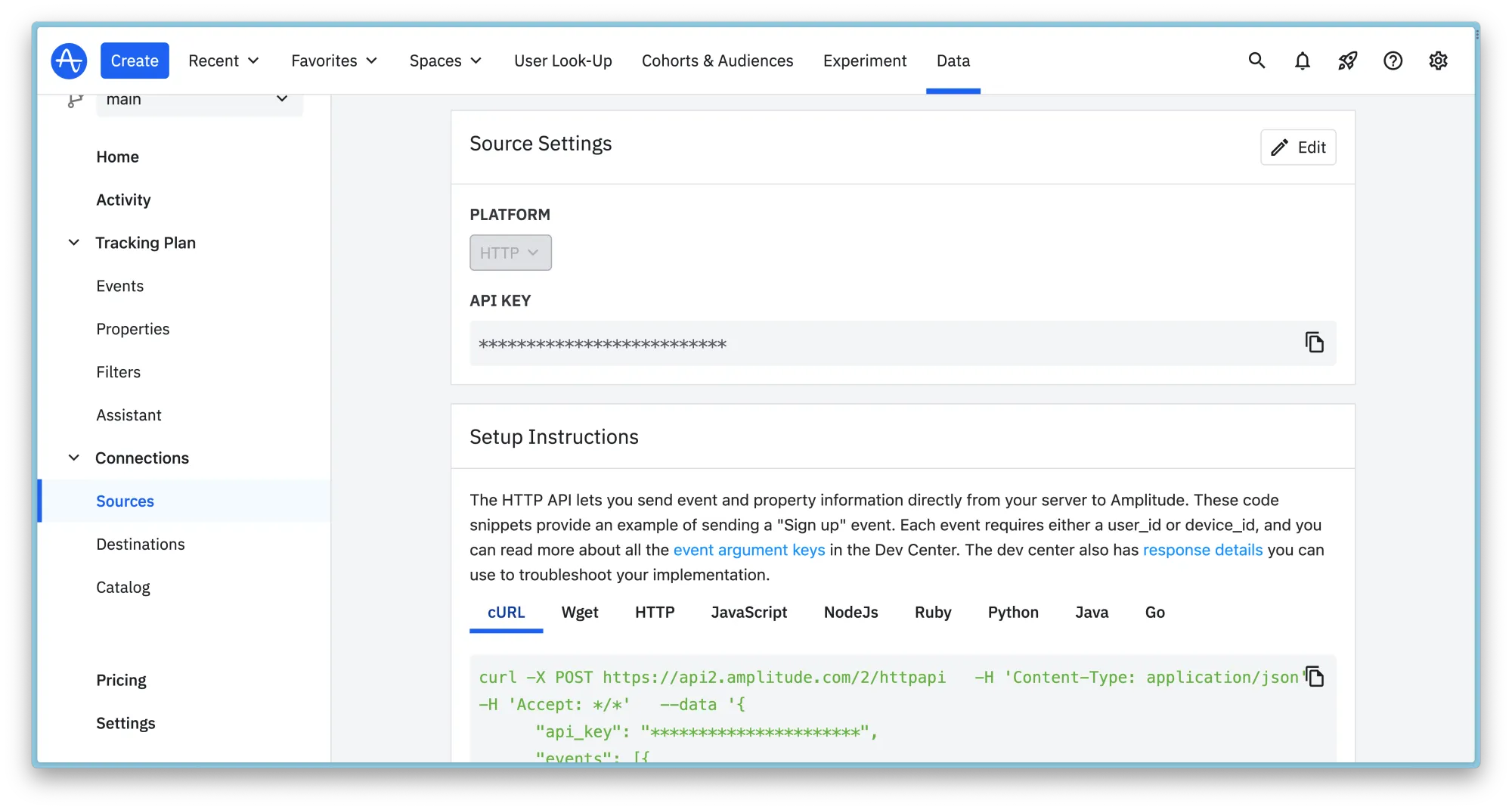
Section titled “Send Screeb data to Amplitude (destination)”- In Amplitude, open Data, then Catalog, add an HTTP API source from the Sources tab, and copy its API key.
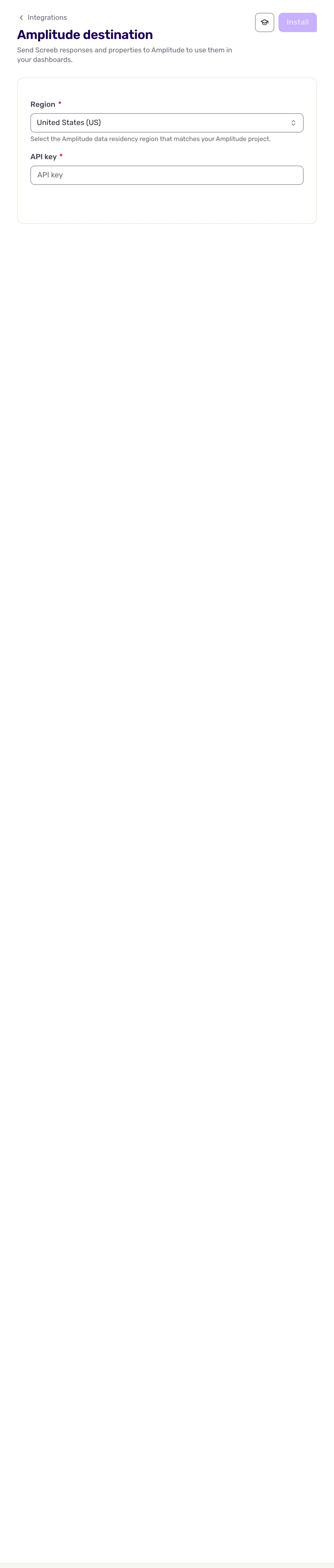
- In Screeb, open the Amplitude destination page.
- In Region, pick the data region of your Amplitude project: United States (US) (the default) or European Union (EU).
- Paste the key in API key.
- Click Install.
Data exchanged
Section titled “Data exchanged”From Amplitude to Screeb, as soon as Amplitude delivers each event:
- Events: the event and its event properties, listed in User events, ready for targeting.
- User properties sent with an event, or alone in an identify, become user properties.
- Groups are not imported.
New users from Amplitude count in your plan’s monthly tracked users, like users of the SDK.
From Screeb to Amplitude, for every survey of the workspace (not messages):
Survey seenwhen a survey is displayed.Survey question answeredat each answer, with every answer of the response so far.
The user_id is the id Screeb shows for the respondent: the first of its linked ids that is not a UUID (usually the user id you identified), else its first linked id, else its Screeb id. An anonymous respondent known from an Amplitude device_id is therefore sent with that device_id as its user_id, and only a respondent without linked ids is sent with its Screeb id. The device_id is always the respondent’s Screeb id. Event properties include the survey, the channel, the response (id, time, language, tags, completion), the questions and answers, the respondent’s properties at response time, and hidden_field_* and context_* properties. The respondent’s name, email and groups are sent as event and user properties.
When both integrations are on, Amplitude can forward the Screeb events back to Screeb. Screeb recognizes and ignores them, so nothing loops.
Troubleshooting
Section titled “Troubleshooting”No Amplitude events in Screeb. Check that the Webhook destination is enabled, selects the event, and sends the current token. If an anonymous setting is on, only events with a user_id arrive.
No Screeb events in Amplitude. Check that the API key and the region match the project you look at.
Disconnect
Section titled “Disconnect”Open the integration page and click More at the top right, then Delete, and confirm with Delete integration. Also disable the Webhook destination in Amplitude, which would otherwise keep failing.