

Get your Screeb API key
Find your workspace API key, use it to send data and releases to Screeb from your backend, and reset it if it leaks.
The workspace API key lets your own servers talk to Screeb, without the tag or a mobile SDK. Each workspace has one key.
Before you start
Section titled “Before you start”- The Screeb API page and the reset of the key are for members with the Admin role in the organization.
- A workspace Editor or Admin can copy the key from Releases, see Reset the key. An Analyst cannot see it.
- The key is a secret: whoever has it can send data to your workspace. Keep it on your servers, never in the code of your site or app.
Copy the key
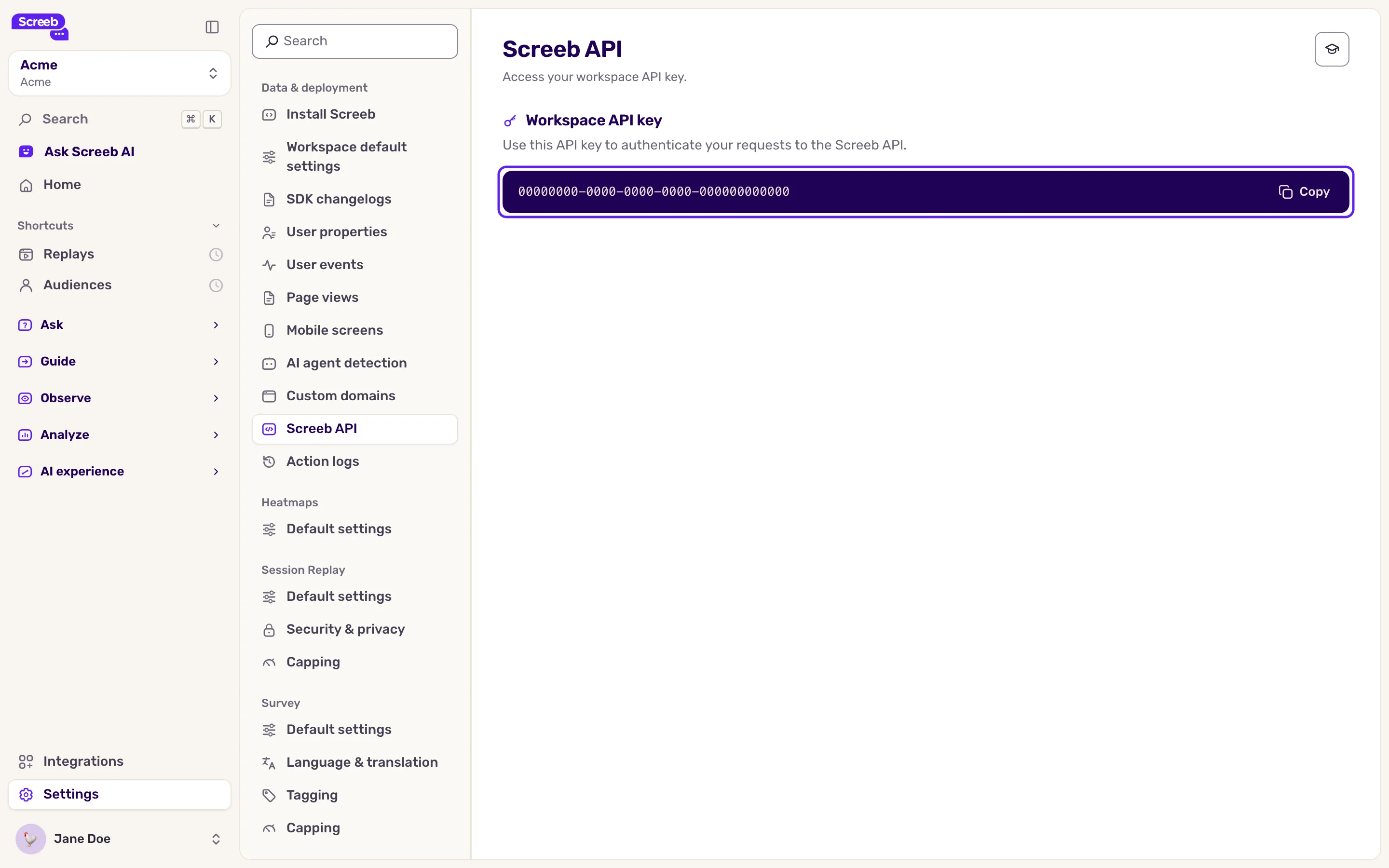
Section titled “Copy the key”- In the workspace sidebar, click Settings, then, under Data & deployment, click Screeb API.
- Under Workspace API key, click Copy.
- Give the key to the developer who sets up the integration, through a safe channel such as your password manager.
The key is not the workspace ID found in the install code of your site or app. That ID is public and only identifies the workspace to the tag and SDKs, see Install Screeb on your website or web app.
Use the key
Section titled “Use the key”Your developers send it in the Authorization: Bearer header of each request to the Screeb API. With it they can:
- Send user data from your backend: user properties, events, groups, page and screen views. See Send and manage user properties and Track and manage user events.
- Log releases from your deployment pipeline, see Track your releases.
The endpoints, payloads and limits are in the Screeb API reference.
Some integrations show their own token on their page. That token is separate from the workspace API key.
Reset the key
Section titled “Reset the key”Reset the key when it leaked, or when someone who knew it leaves your team.
- Open Releases and click Create releases via API. The window shows the same key, with a copy button for workspace Editors and Admins.
- Click Reset, then Reset token. The new key replaces the old one right away. Only organization Admins see Reset.
- Give the new key to your developers, and update every server, script and pipeline that used the old one.
Resetting cannot be undone. Every call that still uses the old key fails with an authorization error until it gets the new one, for user data and releases alike.
What you get
Section titled “What you get”Your backend can send data and releases to Screeb, and you know where to rotate the key when needed.
Troubleshooting
Section titled “Troubleshooting”The API answers 401 Unauthorized. The key is missing, mistyped, or was reset. Copy it again from Screeb API, and check that the header reads Authorization: Bearer followed by the key.
Data lands in the wrong workspace. Each workspace has its own key. Check that you copied the key of the workspace you are looking at.