

Understanding user properties
Learn what user properties are, which property names Screeb reserves and when a user counts as identified rather than anonymous.
A user property is a piece of information about one user of your site or app: their plan, role, company or sign-up date. Screeb keeps the latest value of each property on the user’s profile.
When to use them
Section titled “When to use them”- Target surveys and messages. Show a survey only to users on a given plan, or with a given role.
- Analyze responses. Each response shows the properties of the user who gave it, so you can read feedback in context.
- Personalize questions. Insert a property, such as the first name, in the text of a question.
How it works
Section titled “How it works”Properties reach Screeb from your site or app (Screeb SDK), your backend (Screeb API), a tool connected as a source, or a CSV import. Screeb also computes a few properties itself. To send properties, see Send and manage user properties.
A value is text, a number, a boolean or a date. An object groups nested properties, shown as a dotted path such as company.name. Sending a property with an empty value (null) removes it from the user.
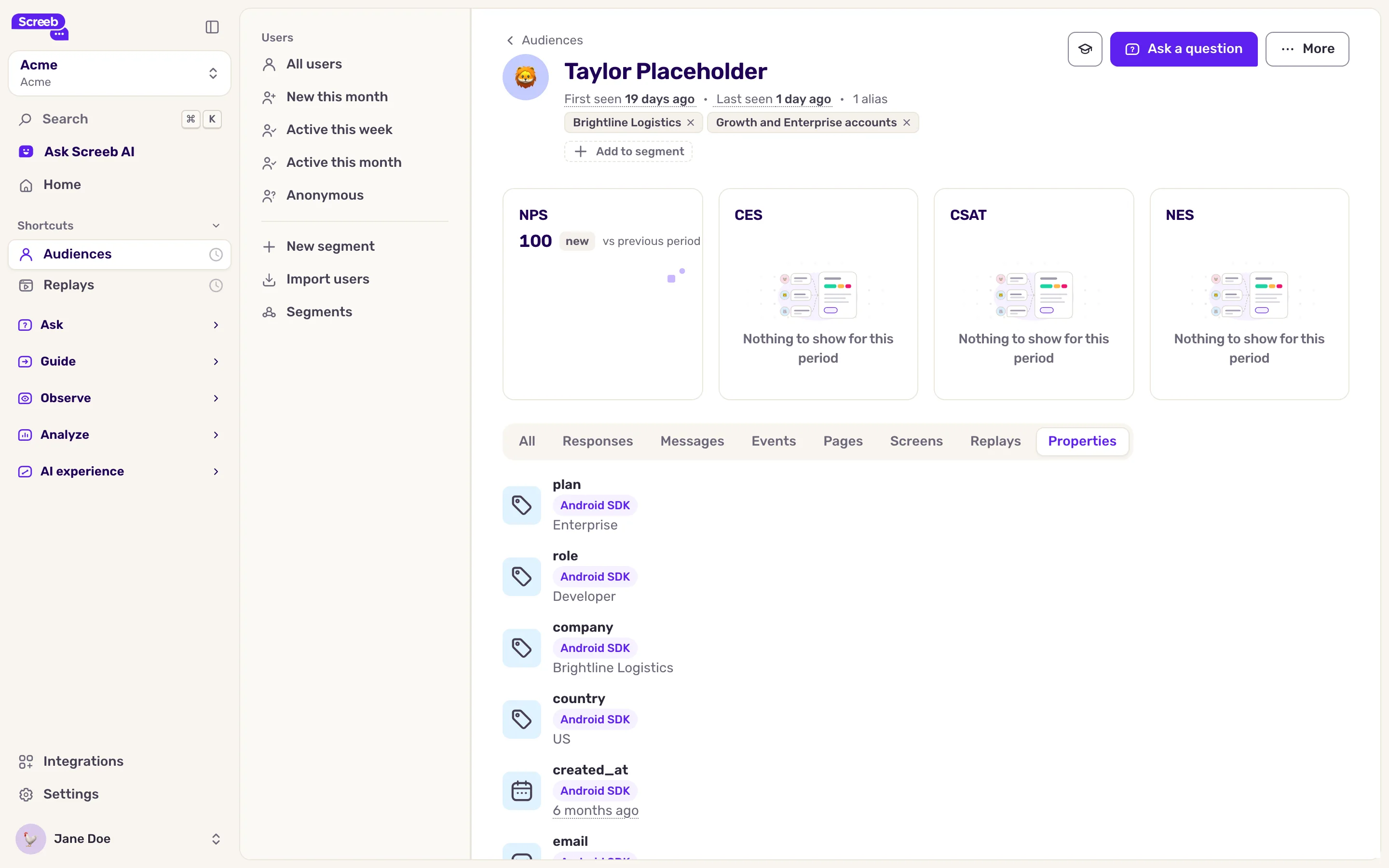
To see the properties of one user, open Audiences, click a user, then the Properties tab. Every property received in the workspace is listed in Settings, User properties.
Reserved properties
Section titled “Reserved properties”Screeb reserves some property names and expects a given format for them. Use them when you have the data: Screeb uses them to name users and show their details.
| Property | Expected value |
|---|---|
firstname, lastname, first_name, last_name, name, fullname, username |
Text |
email |
A valid email address |
owner |
A valid email address |
avatar |
The URL of a picture |
mrr, arr, ltv |
A number |
country, language |
Text |
ip |
An IPv4 or IPv6 address |
created_at, signup_at, last_seen_at |
A date |
last_survey_displayed_at, last_survey_responsed_at, last_survey_closed_at |
A date |
When a reserved property has a value of the wrong type or format, Screeb drops that property and keeps the others sent with it.
Identified and anonymous users
Section titled “Identified and anonymous users”Screeb creates a user as soon as someone visits a page or screen where the SDK runs. This user starts anonymous. It becomes identified when:
- your site or app gives it a user ID (or a connected source such as Segment sends one), or
- it has one of these properties:
firstname,lastname,first_name,last_name,name,usernameoremail.
fullname alone does not identify a user. In Audiences, anonymous users show as Anonymous, and Identified users gives the share of identified users.
Identify users with a stable internal ID rather than their email: an email can change, and the same person would then show as two users.
Limits
Section titled “Limits”- A property name has 128 characters at most.
- One call sets up to 1,000 properties.
- Removing a property from the settings can stop the surveys that target it from being displayed.