

Serve Screeb through your own domain
Route the Screeb tag and its requests through a proxy on your own domain, so ad blockers stop blocking surveys and messages.
Ad blockers often block requests to screeb.app addresses, so some visitors never see your surveys and messages. With a custom domain, your site loads the Screeb tag and talks to Screeb through an address of your own, such as feedback.acme.com, which ad blockers leave alone.
Before you start
Section titled “Before you start”- Custom domains are part of the Enterprise plan: Screeb applies the allowlist only once your plan includes them.
- You need the organization Admin role.
- Your developers can run a reverse proxy on a subdomain of yours, served over HTTPS. This applies to the JavaScript tag on websites and web apps.
How it works
Section titled “How it works”Screeb does not host anything on your domain and there is no DNS record to verify. Your team runs a reverse proxy that forwards each path to the matching Screeb service: the tag itself, the API, static files such as images and fonts, response reporting and the hosted survey page. Your site then loads the tag from the proxy and tells it to use the proxy for every call.
The list of domains you enter in Screeb works as an allowlist: once it is set, Screeb only answers the tag on pages served from these domains.
Set up a custom domain
Section titled “Set up a custom domain”- Have your developers set up the proxy, for example on
feedback.acme.com, with the reverse proxy templates for nginx and other servers. - In the workspace sidebar, click Settings, then, under Data & deployment, click Custom domains.
- Under Allowed origin domains, type a domain in the field and click Add. Add the domain of your proxy and every domain your site is served from. A wildcard such as
*.acme.comcovers all their subdomains at once, but notacme.comitself: add it too if your site runs there. - Click Save. The message “Custom domains saved” confirms.
- Have your developers load the tag from the proxy and declare the proxy addresses in the tag configuration, before the tag loads, as described in Custom collector URL.
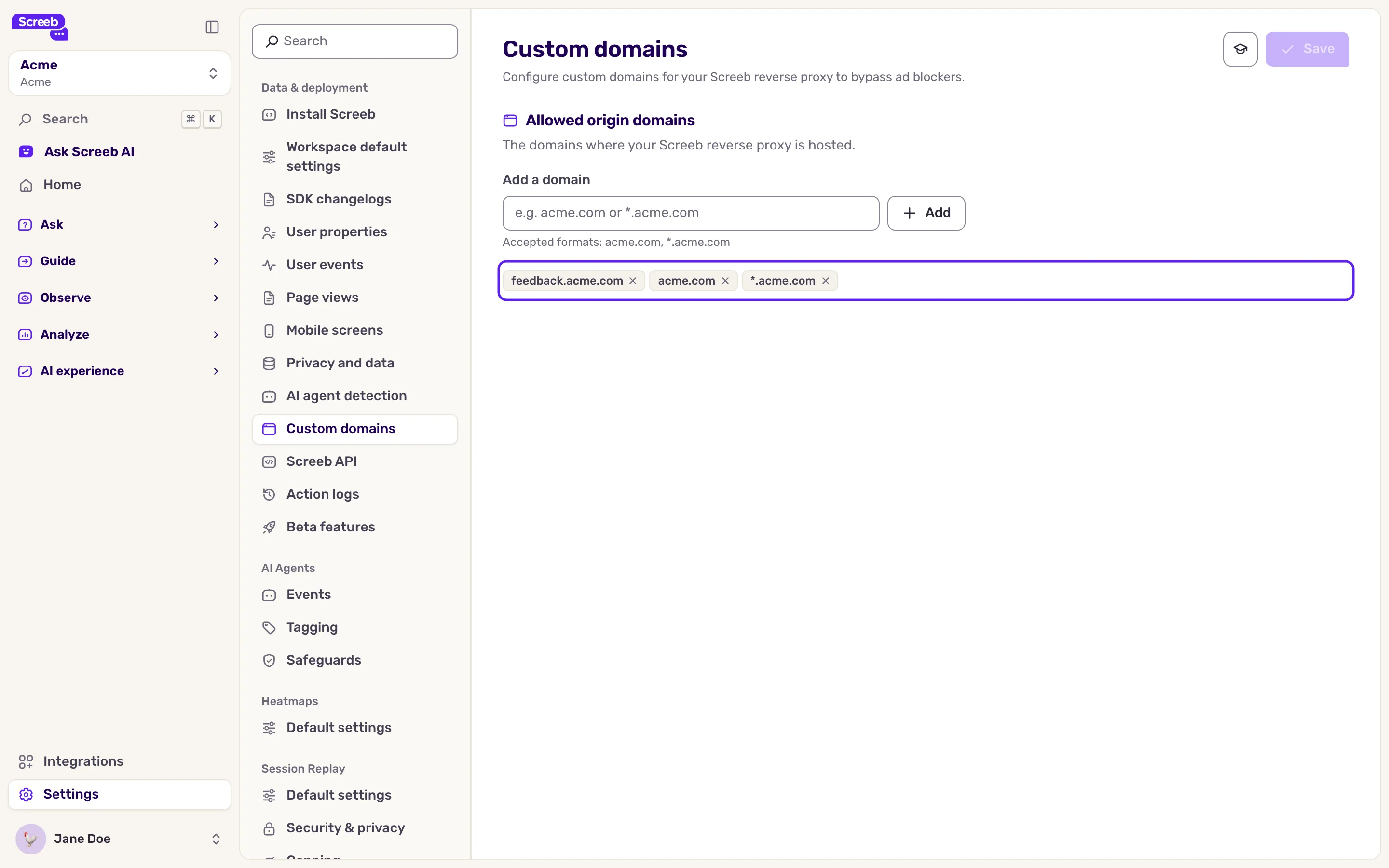
To remove a domain, click the cross on its tag, then Save. The settings apply to the current workspace: repeat them in each workspace that uses the proxy.
Once the list holds at least one domain, a page served from any other domain gets no survey or message, and sends no data. Add your staging and preview domains too. Local addresses (localhost, 127.0.0.1) always work.
What you get
Section titled “What you get”Visitors with an ad blocker see your surveys and messages, and their responses and events reach Screeb. Links you share from the admin, such as link surveys, keep their Screeb address.
Troubleshooting
Section titled “Troubleshooting”“Invalid domain format. Use acme.com or *.acme.com.” Type the hostname only, without https://, a path or a port: feedback.acme.com or *.acme.com.
“This domain is already in the list.” The domain is already in the list.
The browser console warns that a custom endpoint “is not in the workspace allowed domains list”. Add the domain of your proxy to the list and save.
Surveys stopped showing on one of your sites after you saved. That site’s domain is not in the list. Add it, or a wildcard that covers it, and save.
Your site has a Content Security Policy. Allow your proxy domain where the policy allows Screeb, see Use Screeb with a Content Security Policy.