

Use consent exemption mode
Load Screeb for every visitor without a consent banner, with all visitors kept anonymous, when your service is exempt from consent.
Privacy laws such as the GDPR usually require your users’ consent before you load a tool like Screeb. Some services are exempt: public sector sites, internal tools for employees, or services that only process what they strictly need, without profiling. Consent exemption mode lets these services load Screeb for every visitor, without collecting anything that identifies them.
Turning the mode on does not make your processing lawful by itself. Check with your legal or data protection team that your service qualifies for an exemption, for example under the guidance of your data protection authority.
Before you start
Section titled “Before you start”- You need the Admin organization role.
- The mode is in beta.
- The mode applies to the whole workspace, on your website and in your mobile apps. To keep identified users elsewhere, use another workspace.
Turn on the mode
Section titled “Turn on the mode”- Click Settings in the sidebar of your workspace.
- Under Data & deployment, click Workspace default settings.
- Switch on Consent exemption mode. A warning about monthly active users shows below it.
- Click Save at the top of the page.
- If Session Replay is on in the workspace, the Turn off Session Replay? window opens. Click Turn on consent exemption.
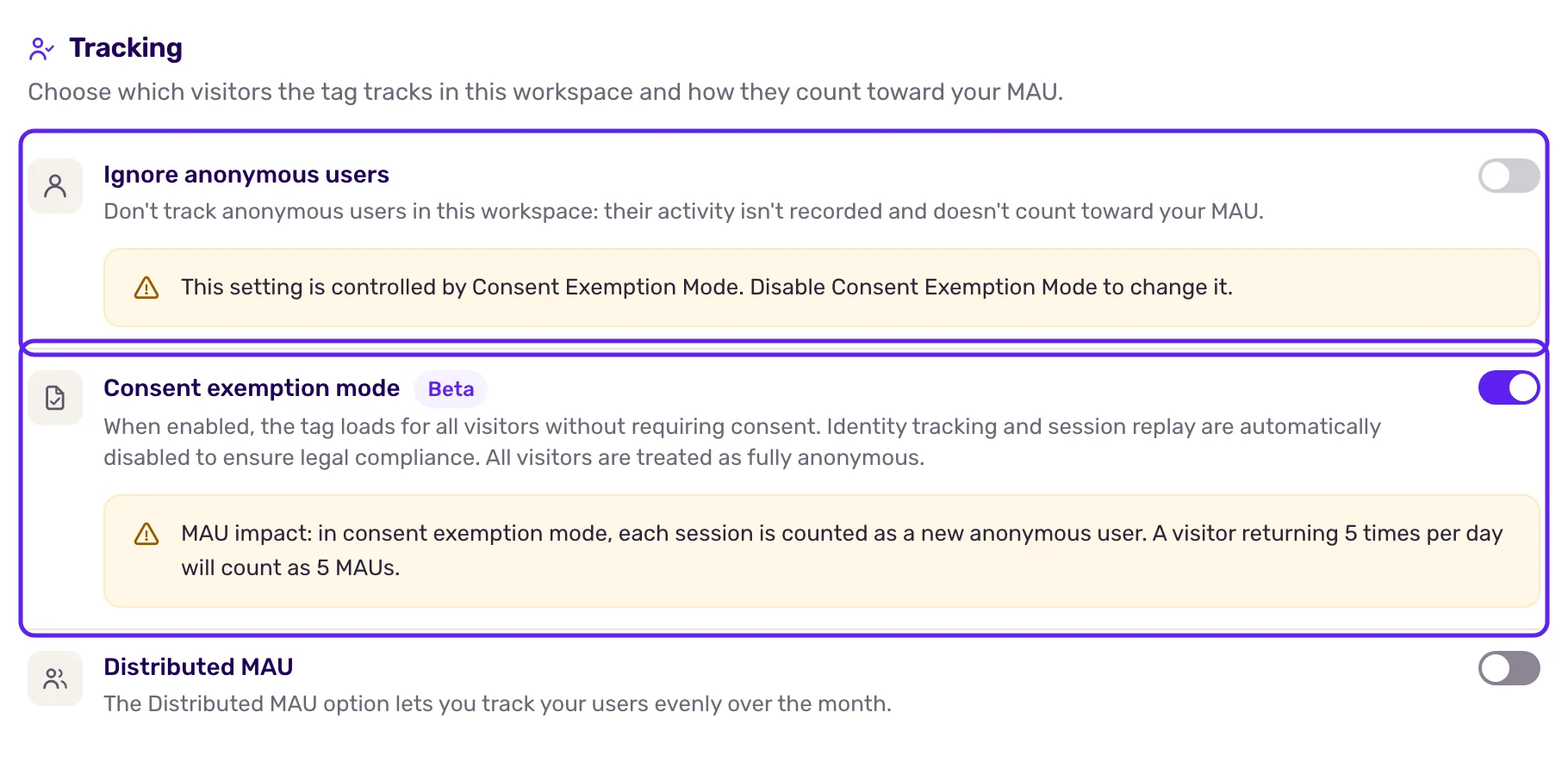
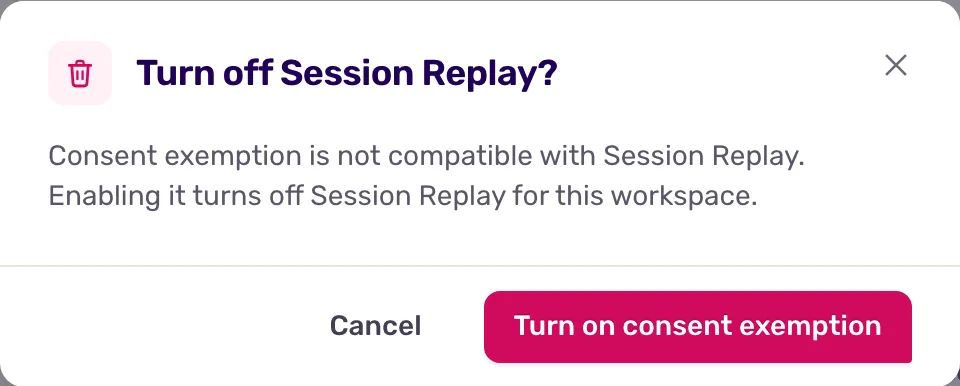
The mode applies to visits that start after you save. You do not need to change your installation: you can stop waiting for consent before loading the Screeb tag.
What changes
Section titled “What changes”- Users are never identified. The tag ignores the calls that identify a user, set user properties or track custom events, and writes a warning in the browser console. Leave these calls in your code: nothing is sent.
- Session Replay and heatmaps stop recording. Session Replay is switched off and cannot be switched on while the mode is active.
- Surveys and messages still show. Every response comes from an anonymous user.
- Ignore anonymous users stays off, and is locked, so anonymous visitors still see your surveys.
Targeting on pages, devices, the trigger or the time spent still works. Rules on user properties, segments or custom events never match.
Mind your monthly active users
Section titled “Mind your monthly active users”In this mode, Screeb never recognizes a returning visitor: each time the tag loads, it starts a new anonymous user. A person who comes back several times counts as several monthly active users, and on a site that reloads the page at each click, each page view can count as one. Check your quota before you turn the mode on for a busy site.
Turn off the mode
Section titled “Turn off the mode”Switch off Consent exemption mode and save. Identification works again, Ignore anonymous users can be changed, and you can switch Session Replay back on in its settings. Responses collected during the mode stay anonymous.
What you get
Section titled “What you get”Screeb loads for every visitor without a consent banner, and stores no user identity, no user property and no recording for this workspace.
Troubleshooting
Section titled “Troubleshooting”The switch is missing. The mode is not turned on for your account yet, or your role is not Admin of the organization.
A survey targeted on user properties no longer shows. This is expected in this mode, see My survey or message is not displayed.
Developers see “ignored in consent exemption mode” in the console. This is expected: the call was dropped on purpose.