

Send responses to Talkwalker
Send each finished survey response to your Talkwalker project, with its text, its score and the survey tags.
The Talkwalker integration sends your survey responses to a Talkwalker project, so you can analyze them next to the other conversations Talkwalker collects. Once installed, it covers every survey of the workspace.
Before you start
Section titled “Before you start”- Talkwalker is part of your plan. Without it, the Talkwalker card of the catalog shows Upgrade to install.
- You are an admin of the Screeb workspace: only admins can install and configure integrations.
- You have the ID of your Talkwalker project and an access token for the Talkwalker API. If you do not have them, ask your Talkwalker account manager or support.
- Your surveys have a free text question, or a multiple choice question: Talkwalker needs a text for each response.
Connect
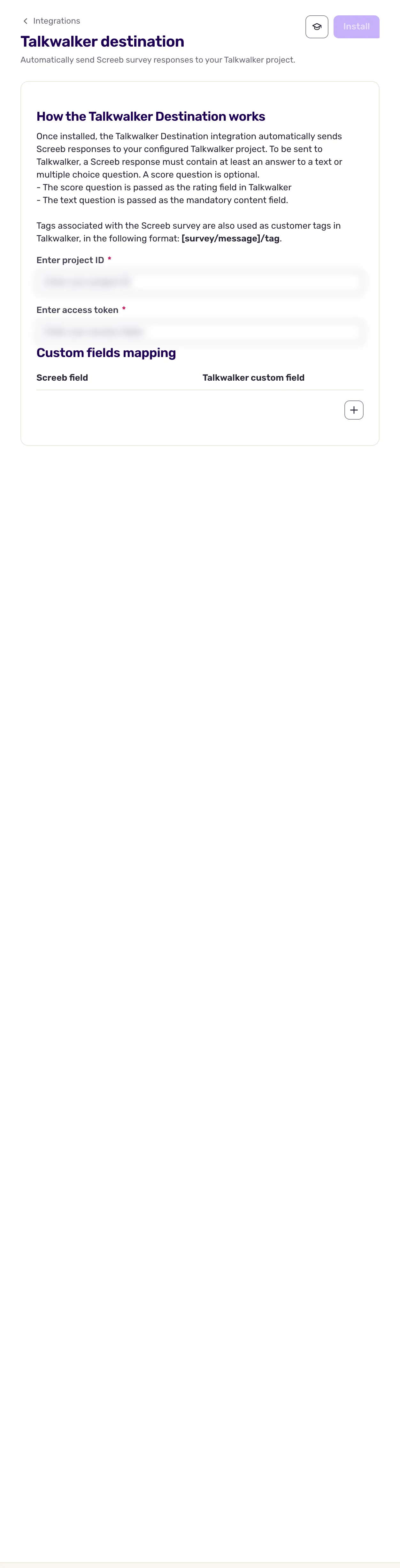
Section titled “Connect”- Open Integrations, find Talkwalker Destination and click Install. The settings page opens.
- Under Enter project ID, paste the ID of your Talkwalker project.
- Under Enter access token, paste your access token. The project ID takes 10 to 100 characters, the access token 10 to 400.
- Optionally, map a score to a Talkwalker custom field, see Data exchanged.
- Click Install at the top of the page. Responses that end from now on are sent to Talkwalker.
To change the token, the project or the mapping later, edit the fields and click Save.
Data exchanged
Section titled “Data exchanged”Data only goes from Screeb to Talkwalker. When a response to a survey ends, Screeb creates one document in your Talkwalker project:
- The content is the answer to the first free text or multiple choice question of the response. A response without such an answer is not sent.
- The score of the first NPS, CES, CSAT, NES or score question goes to the Talkwalker rating field, unless you map its type to a custom field (see below).
- The language is the language of the response, and the country is the respondent’s country, found from their IP address. When one of them is unknown, Screeb sends French (
fr) or France (FR) instead. - The tags of the survey become customer tags, in the form
survey/<tag>. - The document links to the response in Screeb, and its date is the date of the response.
Responses that ended without any answer, responses to in-app messages and test responses from the survey preview are not sent. Responses collected before the installation are not sent either.
To send a score to a Talkwalker custom field instead of the rating field, under Custom fields mapping, click Add. Pick the question type (Range, NPS, CES, CSAT or NES) in Screeb field and type the name of the field in Talkwalker custom field. Each type can be mapped once. The answers to range questions reach Talkwalker only through this mapping: without one, they are not sent. The answer to a score question cannot be mapped: it goes to the rating field.
Troubleshooting
Section titled “Troubleshooting”The install button stays disabled. The project ID or the access token is missing, shorter than 10 characters or too long, or a mapping row is incomplete.
A response is missing in Talkwalker. Check that it has an answer to a free text or multiple choice question, and that it has ended: a response still in progress is sent only once it ends.
Disconnect
Section titled “Disconnect”Click More at the top right of the Talkwalker Destination page, then Delete, and confirm with Delete integration. Screeb stops sending responses; the documents already in Talkwalker stay there.